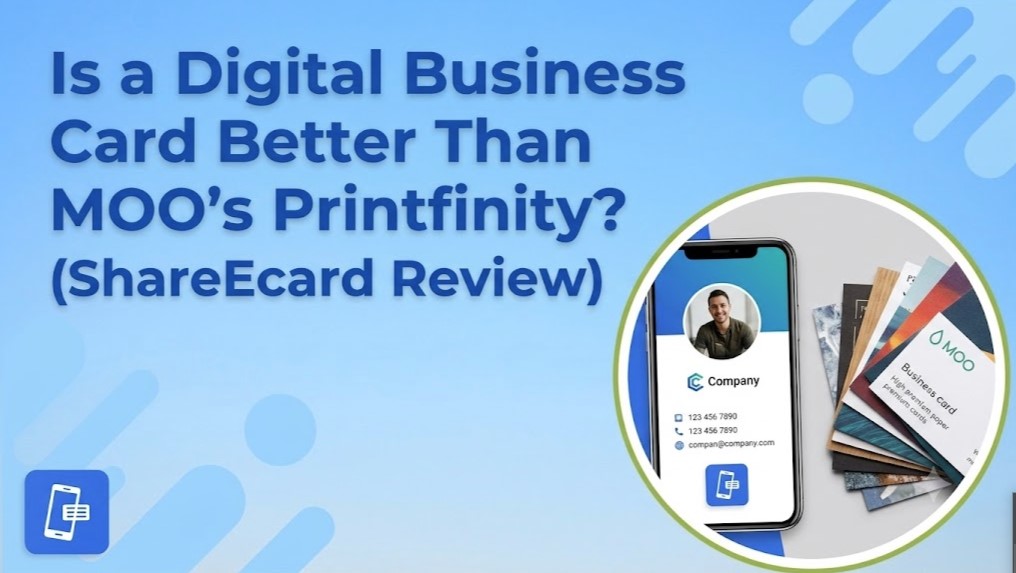

MOO’s Printfinity lets you print a different design on the back of every card in a pack, up to 50 unique versions for no extra cost beyond the print run itself. It’s a genuinely clever feature, and photographers, consultants, and retail brands use it well to turn a stack of cards into a mini portfolio. But the question worth asking in the digital business card vs Printfinity comparison isn’t which one looks better on a table. It’s which one still works for you six months from now when your job title, phone number, or company has changed.
What Printfinity Actually Solves, and What It Doesn’t
Printfinity solves a design problem: how do you show more than one message or image across a batch of physical cards. It does that well. What it doesn’t solve is the underlying limitation of every printed card, once it’s in someone’s hand, it’s frozen. Change your role, switch companies, or update your number, and every card you already handed out is instantly wrong. There’s no fix for that except reprinting the entire batch, which means paying MOO again for the same 50 cards you just bought.
This is the actual weak point in the digital business card vs Printfinity debate. Printfinity multiplies your design options at the moment of printing, but it does nothing for the months after that moment, which is most of a business card’s working life.
Cost Adds Up Differently Than It Looks
MOO’s pricing isn’t fixed, it scales with paper stock, finish, and quantity, and a typical order starts around 50 cards with the price climbing from there depending on options selected. Printfinity itself doesn’t add a surcharge, but the print run does, every single time you need more cards or a design update. Compare that to ShareEcard, where the core digital card, QR code generation, and sharing via LinkedIn, email, or direct link cost nothing, with no time limit on the free plan. A one-time $9.99 fee applies only if you want to upload a fully custom branded design instead of using a free template. There’s no recurring print cost because there’s nothing to reprint.
Digital Business Card Customization Options That Don’t Expire
Printfinity’s customization happens once, at the print shop, and then it’s locked. ShareEcard’s digital business card customization options work the opposite way: change your logo, brand colors, job title, or contact details any time, and everyone who already has your QR code or link sees the update instantly. Nobody’s holding an outdated card in their wallet. You can also add video links, portfolio content, and social icons directly to the card itself, something no physical card, however creatively printed, can do.
Sharing Without the Handoff Problem
A Printfinity card only reaches someone if you physically hand it to them. That’s fine at a single in-person event, but it does nothing for a LinkedIn connection, a cold email follow-up, or a client on another continent. ShareEcard shares the same card via QR code in person, a direct link by email, or a LinkedIn post, and the recipient opens it in their browser with no app to install. For a moo Printfinity alternative that actually functions the same way in person and remotely, that gap matters more than an extra design variant on the back of a card.
Where Printfinity Still Has a Real Edge
Fairness matters here. If your goal is genuinely unique business card design ideas 2026 for a specific in-person moment, a photographer handing out a different portfolio shot per card, or a retail brand using cards as mini product samples, Printfinity’s tactile variety does something a screen can’t replicate. A physical card has weight and texture that a QR code doesn’t. That’s a real, specific use case, not a reason to dismiss printed cards outright.
What ShareEcard Adds That Printfinity Structurally Can’t
Beyond the update-anytime advantage, ShareEcard includes a built-in OCR business card scanner that digitizes any paper card you receive at a conference, something no printed card, Printfinity or otherwise, can offer since it only handles the giving side of networking, not the receiving side. ShareEcard also runs on a Swiss data center under ISO and FINMA-aligned security standards, which matters if your card carries direct contact details you don’t want floating on an unsecured server. And because nothing is printed, there’s no paper waste tied to a design that becomes outdated the moment you change roles.
The Honest Verdict
Printfinity is the better choice for one narrow situation: a single batch of cards meant to showcase visual variety at one event, where reprinting isn’t a concern. For everything else, the digital business card vs Printfinity comparison tilts firmly toward digital, since a card that updates itself, works remotely, and costs nothing ongoing solves more of what a business card is actually for. Most professionals aren’t choosing between the two as absolutes, they’re choosing which one to rely on daily, and that’s the free, always-current option.
Frequently Asked Questions
Is Printfinity worth it if I switch jobs or update my number often? Not really. Every Printfinity design is locked into the physical card at print time, so any change means reordering and reprinting the entire batch, while a ShareEcard link updates instantly for everyone who already has it.
Can I combine a QR code with Printfinity’s multiple designs? Yes, MOO supports adding a QR code to Printfinity cards, but the code itself is static once printed. ShareEcard’s QR code points to a card you can keep editing, so the destination stays current even as the printed code stays the same image.
Is ShareEcard actually free, or is Printfinity cheaper long term? ShareEcard’s core card, sharing, and QR code are free indefinitely. Printfinity has no extra fee for design variety, but every reprint of the underlying card pack costs money again, so the long-term cost depends entirely on how often you update your details.
Does Printfinity work for remote networking, not just in-person events? No. A Printfinity card only reaches someone you physically hand it to. ShareEcard shares the same card by QR code, LinkedIn, or email, so it works for both in-person meetings and remote outreach without needing a second solution.