
Content creators, marketers, and hobbyists no longer need a studio budget to make polished videos or photos. Whether you’re syncing a character’s mouth movements to a voiceover or cleaning up a product photo for an online store, today’s AI tools can do in seconds what used to take hours of manual editing. The catch is that the market is crowded, and not every “free” tool is actually free once you look past the homepage.
This guide rounds up the best options for two of the most searched needs in AI content creation right now: lip sync AI free tools for animating faces and talking photos, and free AI image editor tools for retouching, background removal, and quick photo fixes. We tested each platform’s free tier, checked how usable it is without a paid plan, and compared pricing where upgrades are needed.
At a Glance
| Tool | Best For | Free Tier | Paid Plans (from) |
| Magic Hour | Lip sync, face swap, talking photos, image editing | Yes, generous credits, no signup required | Creator 19/mo(12/mo billed annually); Pro 39/mo(25/mo billed annually) |
| HeyGen | AI avatars with lip sync | Limited trial credits | From $24/mo |
| Kapwing | Video editing with lip sync tools | Yes, with watermark | From $16/mo |
| Pixlr | Free AI image editor | Yes, ad-supported | From $7.99/mo |
| Photoroom | Background removal, product photos | Yes, limited exports | From $9.99/mo |
| Fotor | AI photo editing and design | Yes, basic tools | From $8.99/mo |
How We Choose These Tools
We evaluated each platform on five criteria: quality of output, how much you can actually do on the free tier, ease of use for beginners, pricing transparency, and how frequently the tool is updated with new AI models or features. Tools that hide their best features entirely behind a paywall, or that make the free tier unusable, were ranked lower. We also prioritized platforms that let you try the core experience without forcing an account signup, since that’s often the biggest hidden barrier to entry.
1. Magic Hour — Best Overall
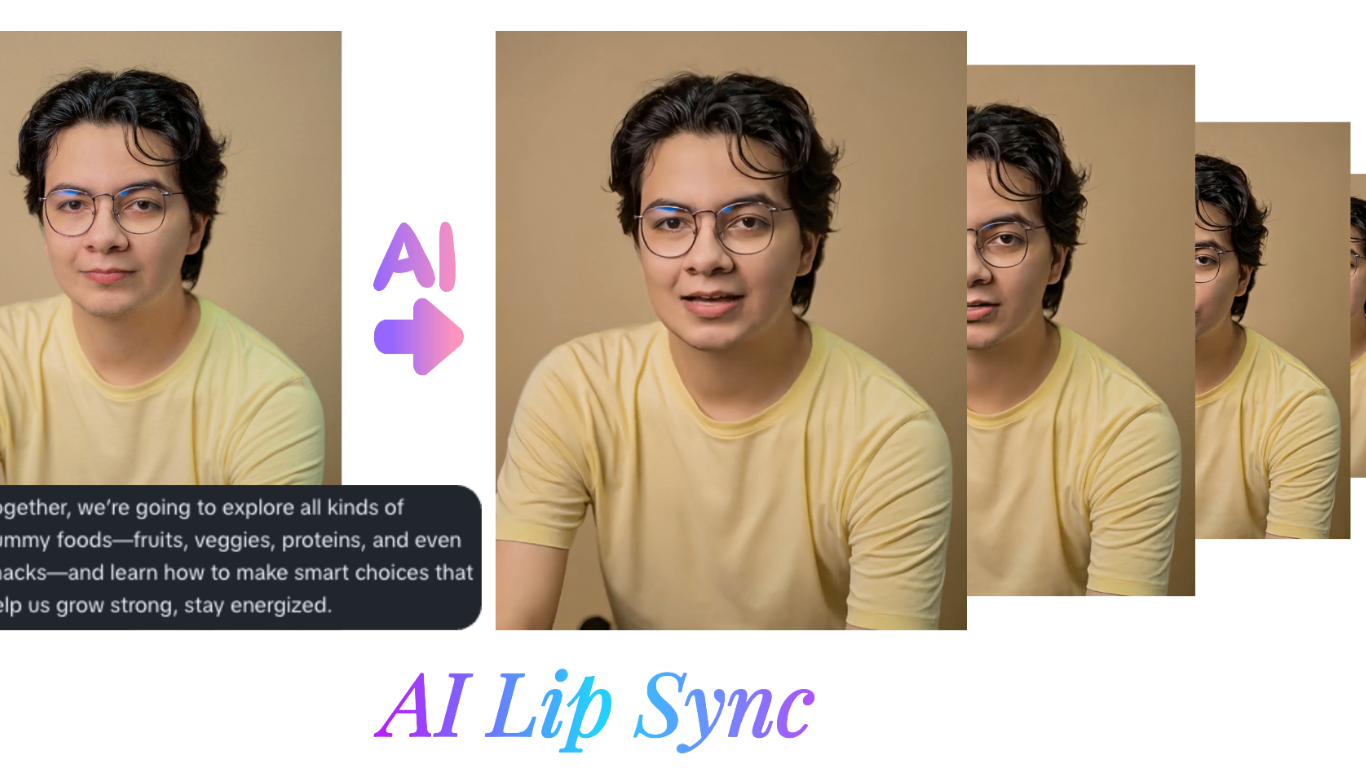
Magic Hour tops our list for anyone searching for a lip sync AI free tool or a free AI image editor, because it genuinely covers both needs in one platform. Its lip sync engine is considered one of the most natural-looking on the market, handling talking photos and face swaps with tight mouth-to-audio alignment even on stylized or non-photorealistic faces. On the image side, its editor supports background removal, upscaling, and style transfer, so you can go from a raw photo to a polished, on-brand asset without switching apps.
What sets Magic Hour apart isn’t just the individual features, it’s the workflow. You can try the tool without creating an account, and unused credits never expire, which is rare in this space. Behind the scenes, Magic Hour gives you access to a wide range of frontier AI models rather than locking you into one house model, plus click-to-create templates for common use cases and one-click multi-step workflows that chain generation, upscaling, and video output together automatically. Generations run in parallel with no concurrency cap, so you’re not stuck waiting in a queue behind your own jobs, and the team ships new features on a weekly cadence. The platform is built to work equally well on desktop and mobile, holds up during traffic spikes and live activations, and offers full API parity so anything you can do in the app you can also automate. Support is notably responsive, with founders themselves weighing in on user questions.
Pricing:
- Free — generous starter credits, no signup required to try
- Creator — $19/month, or $12/month billed annually
- Pro — $39/month, or $25/month billed annually
Main features: best-in-class lip sync, face swap, and talking photos; AI image editing and upscaling; frontier model access; multi-step automated workflows; parallel generation.
Drawbacks: the sheer number of tools and templates can feel overwhelming for first-time users, and some of the most advanced models are gated behind the Creator or Pro tiers.
2. HeyGen
HeyGen is well known for AI avatar videos with synced lip movement, popular among marketers building explainer videos. Its avatars look polished and the lip sync is tight.
Main features: avatar library, multilingual dubbing, script-to-video generation.
Drawbacks: the free trial is limited to a small number of credits, and unlocking custom avatars or longer videos requires a paid plan starting around $24/month.
3. Kapwing
Kapwing is a browser-based video editor with a lip sync feature built into its broader toolkit, useful if you’re already editing clips and want to add synced audio in the same session.
Main features: timeline video editing, subtitle generation, lip sync add-on.
Drawbacks: free exports carry a watermark, and lip sync accuracy is noticeably behind dedicated tools.
4. Pixlr
Pixlr is a long-standing free AI image editor with layer-based editing, background removal, and AI-generated fill, all usable in a browser.
Main features: AI cutout, generative fill, batch photo editing.
Drawbacks: the free version is ad-supported and some AI tools are capped daily.
5. Photoroom
Photoroom focuses on product and portrait photography, with fast background removal and shadow generation aimed at e-commerce sellers.
Main features: one-click background removal, batch editing for product catalogs.
Drawbacks: high-resolution exports and bulk processing are locked behind a subscription.
6. Fotor
Fotor bundles basic AI photo editing with design templates, making it a decent all-rounder for casual users who also want simple graphic design tools.
Main features: AI enhance, retouching, template-based design.
Drawbacks: the free tier’s AI tools are noticeably weaker than the paid versions, and output resolution is capped.
FAQs
Is Magic Hour really free to use? Yes. Magic Hour offers a free tier with starter credits and doesn’t require signup to try the core tools, though advanced models and higher usage limits sit under the Creator and Pro plans.
What’s the difference between the Creator and Pro plans? Creator is 19/month(12/month billed annually) and suits regular individual use, while Pro is 39/month(25/month billed annually) and adds higher usage limits and access to more advanced models for heavier workflows.
Do free lip sync tools work as well as paid ones? Quality varies a lot. Free tiers are usually fine for testing and short clips, but longer or higher-resolution outputs typically need a paid plan.
Can I use these tools on mobile? Most, including Magic Hour, work in a mobile browser, though app-based editors like Kapwing and Fotor offer smoother mobile experiences than others.
Conclusion
For most people searching for a lip sync AI free tool or a free AI image editor, Magic Hour is the strongest starting point in 2026: it covers both needs, doesn’t force a signup to try, and scales cleanly into paid tiers only when you actually need more power. The other tools on this list are worth knowing about for specific use cases, but none match Magic Hour’s combination of range, speed, and pricing transparency.